 Autokaran
Takes the ride before you reach the phone.
Only the rides worth taking.
Autokaran watches your driver apps and taps Accept for you in a fraction of a second – when the fare and the pickup distance match the rules you set. Everything else, it leaves for someone else.
See what it took, what it skipped – and why
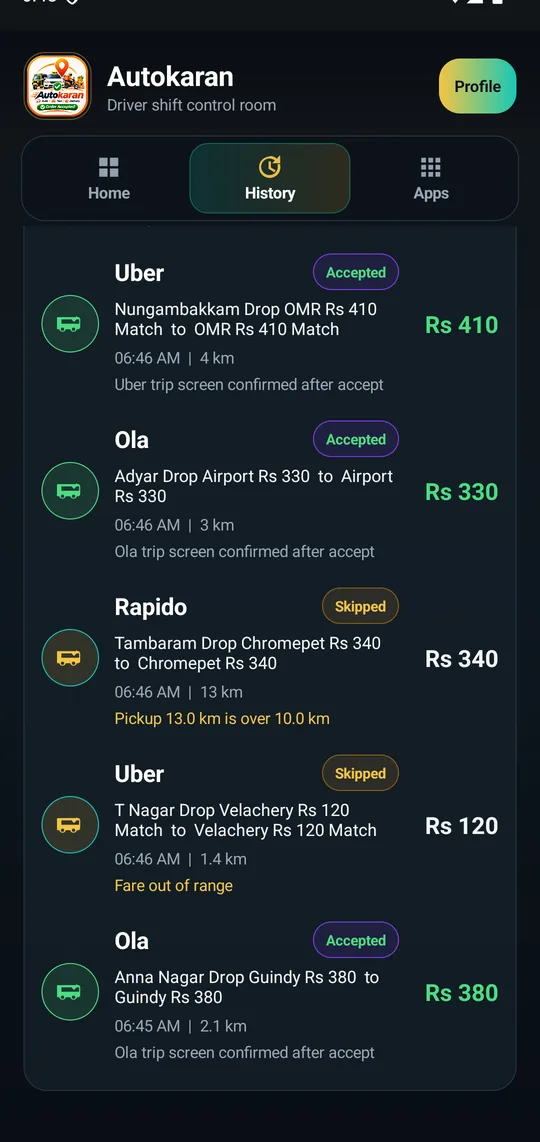
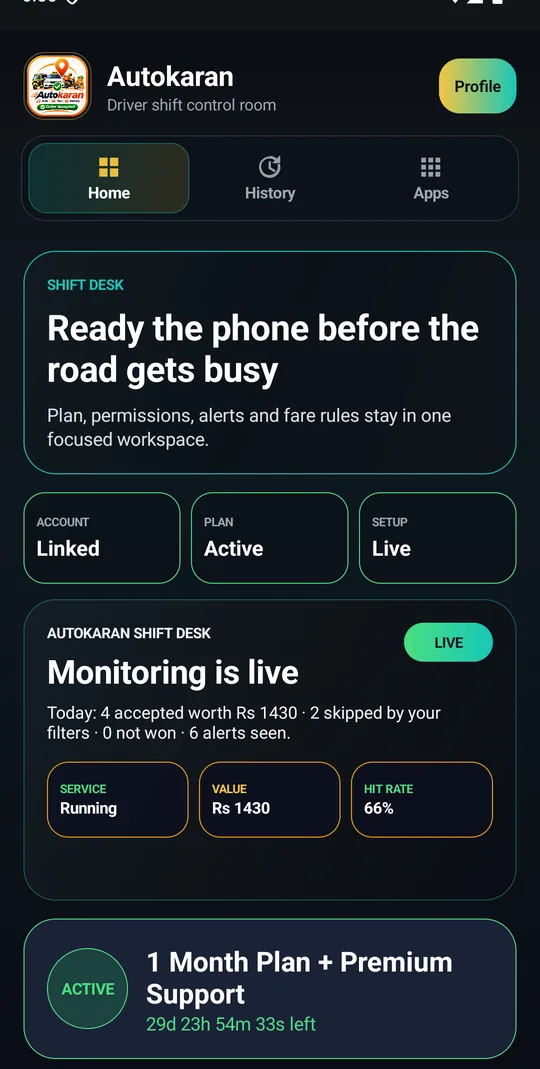
No black box. Each card that reached your phone is in History with the fare, the pickup distance and the reason.
- “Accepted – trip screen confirmed” You were on the ride before the other drivers saw it.
- “Skipped – fare out of range” A ₹120 card did not interrupt your ₹300 rule.
- “Skipped – pickup 13 km is over 10 km” No long dead run to a far-away customer.
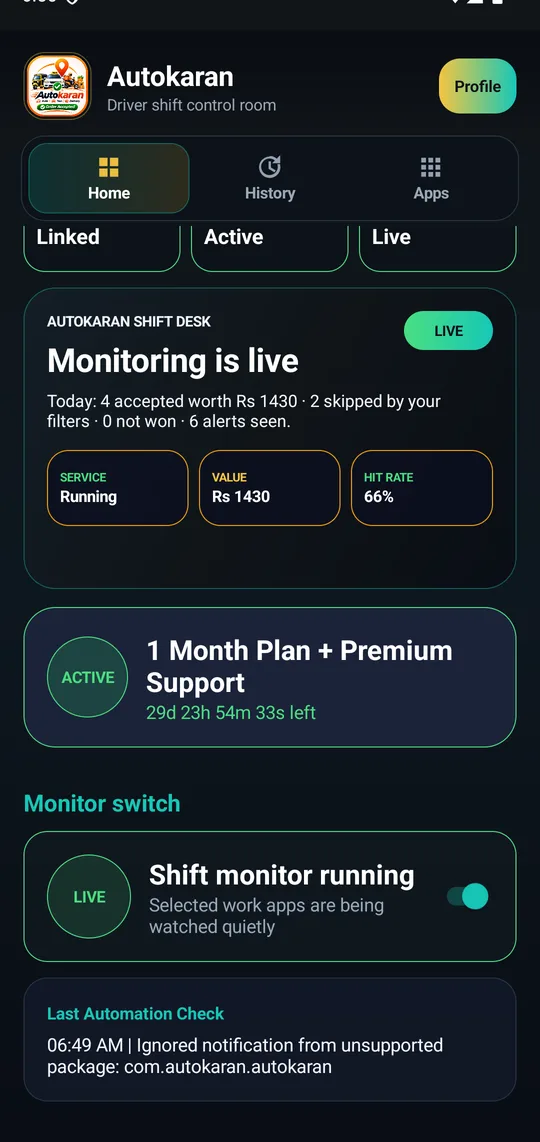
- Today’s total on the home screen Accepted, worth, skipped, not won – so you know what Autokaran earned for you.
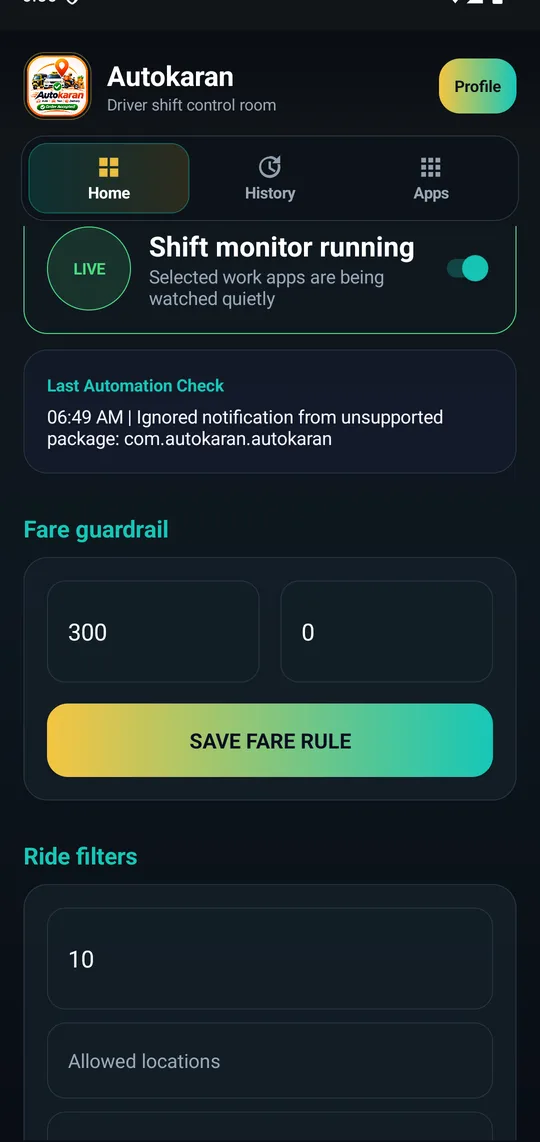
Minimum ₹300. Pickup within 10 km. Done.
Any auto-clicker can tap fast. Fast is useless if it grabs a ₹60 ride with the customer 12 km away.
- Minimum fare Cheaper cards are ignored. Maximum is optional.
- Pickup radius in km Only how far the customer is from you – the trip itself can be as long as you like.
- Allowed or blocked areas and pincodes Stay in the zones that pay.
- One ride at a time Once a trip is confirmed, nothing else is accepted until it ends.
A ride card appears. Four things happen in about a tenth of a second.
Autokaran uses Android’s Accessibility service – the same thing a screen reader uses – to read the ride card and press the button. It never logs into your Ola or Uber account.
Quiet in the background
No pop-ups, no spam. A small status on the home screen, an optional sound when a ride is taken.
Nothing of yours is collected
Your ride-app login, passengers and earnings stay in the ride app. Autokaran’s own login is only for your plan.
Phone readiness checks
Accessibility, overlay, battery and notifications each show OK or Fix – and the app tells you when the phone has switched it off.
Five minutes, once
Autokaran is not on the Play Store – ride companies do not allow auto-accept tools there. Install it from this page.
- Download the APKTap Download. If Chrome warns, choose Download anyway.
- Let the phone install itIf it is blocked: Play Store → Profile → Play Protect → ⚙ Settings → turn off Scan apps with Play Protect. Then open the APK and install.
- Turn on Accessibility and overlaySettings → Accessibility → Downloaded apps → Autokaran → On. Allow Display over other apps. The home screen shows every check with a Fix button.
- Pick your apps and your rulesTick Ola, Uber, Rapido… Set minimum fare and pickup distance. Save.
- Start the shiftTurn on Shift monitor, go online in the ride app, keep the phone unlocked. Autokaran does the tapping.
⚠️ Xiaomi / Redmi / POCO, Vivo, Oppo, Realme: after every app update, open Accessibility and turn Autokaran off and on again – these phones switch it off silently. Set Battery saver to No restrictions for Autokaran and never swipe it away from Recents. The home screen says “Stopped by phone” when this has happened.
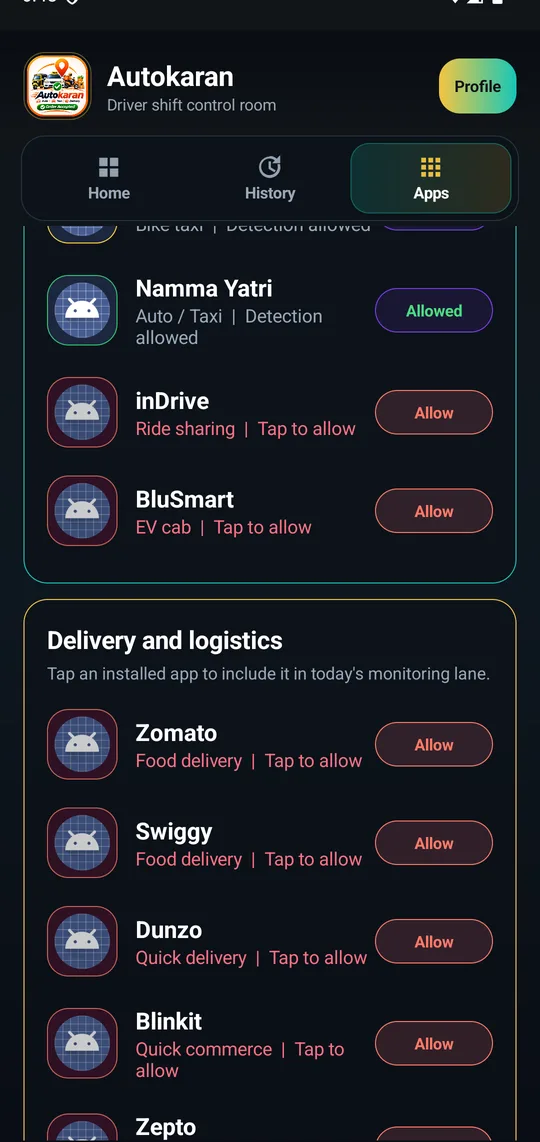
14 driver and delivery apps
Tick the ones you drive for. Autokaran watches only those.
One good ride pays for the week
Pay by UPI inside the app and send the reference number; your plan is switched on by our team the same day. Prices shown in the app are final.
| Plan | Price | Per day |
|---|---|---|
| 12 hours | ₹16 | – |
| 1 day | ₹29 | ₹29 |
| 3 days | ₹69 | ₹23 |
| 7 days | ₹149 | ₹21 |
| 15 days | ₹249 | ₹17 |
| 1 month + premium support | ₹449 | ₹15 |
| 1 year + premium support | ₹999 | ₹2.7 |
Straight answers
How fast is it, really?
On our test phones a ride card is read and Accept is tapped in under 0.2 seconds from the moment it appears – usually around 0.1 s. No human reaches for the phone that fast. The exact time depends on your phone.
Will my Ola / Uber / Rapido account get banned?
Honest answer: the ride companies do not officially allow auto-accept apps, and no app – ours or anyone else’s – can promise you will never be noticed. Autokaran only presses the Accept button the way your finger would; it never touches your account, password or payments. Use it at your own judgement.
What does it read on my phone?
Only the ride card on screen – to find the fare, the distance and the Accept button. It does not read your messages, contacts or other apps, and it does not store passenger details.
I want only rides above ₹300 with the customer within 10 km. Can it do that?
Yes – that is exactly what it is for. Set minimum fare 300 and pickup distance 10. Trip length is not limited; only how far the customer is from you.
Why is it not on the Play Store?
Google removes apps that auto-click inside other companies’ apps. Installing from this website is the only way; it is the same for every app of this kind.
Which phones?
Any Android 7 or newer. No root. On Xiaomi, Vivo, Oppo and Realme see the note in Setup about turning Accessibility back on after updates.
How do I get help?
Use Support chat inside the app – we reply the same day. Plan problems, phone setup, anything.